4 Simple Fixes for a Google Map Listing That Refuses to Rank Nearby
By Kevin Pauls, Local SEO Consultant & Google Business Profile Product Expert
The “Invisible Neighbor” Syndrome: Why Your GBP is Ghosting Your Local Community
Imagine this: You’ve spent years building a local reputation. You have over 50 five-star reviews, your photos are professional, and your services are top-notch. Yet, when you stand in your own parking lot and search for your primary service on your smartphone, your business is nowhere to be found. Instead, Google shows a competitor three blocks away with half the reviews and a poorly optimized profile. This is the “Invisible Neighbor” syndrome, and it is the single most frustrating experience for small business owners today.
As a Google Business Profile (GBP) Product Expert, I see this daily. Business owners assume that if they exist and have good reviews, Google will naturally reward them with visibility. However, the local map pack seo landscape has shifted. It is no longer enough to simply “be there.” According to recent industry data (Research #4), 85%+ of users only interact with the top 3 ranking businesses in the Map Pack. If you aren’t in that “Local 3-Pack,” you effectively do not exist to the vast majority of your local market.
In this guide, I’m going to pull back the curtain on why your profile is struggling and provide four high-impact fixes. We aren’t talking about basic “tips” like adding your phone number; we are diving into the technical infrastructure of google business profile seo to ensure your business dominates its immediate vicinity and beyond. If you’ve ever wondered how to master the Google 3 Pack, these fixes are your foundation.
Fix #1: The “Map Pin Drift” and Proximity Precision
The most fundamental element of local search is proximity. However, many businesses suffer from what I call “Map Pin Drift.” Google’s algorithm relies heavily on the exact latitude and longitude coordinates of your business. If your map pin is placed even 50 feet off – perhaps on the back of the building or near a secondary alleyway – it can create “Signal Dead Zones.”
When your pin is inaccurately placed, Google’s proximity filter may exclude you from searches occurring just a few blocks away because it cannot reconcile your physical location with the searcher’s intent. This is often why your business only appears when you search from the parking lot. As noted in a recent YouTube insight, “Map Pin Placement (Wrong Spot, Big Problem),” even a minor discrepancy can cause a total ranking collapse in high-competition zones.
How to Diagnose and Fix Your Proximity Signal
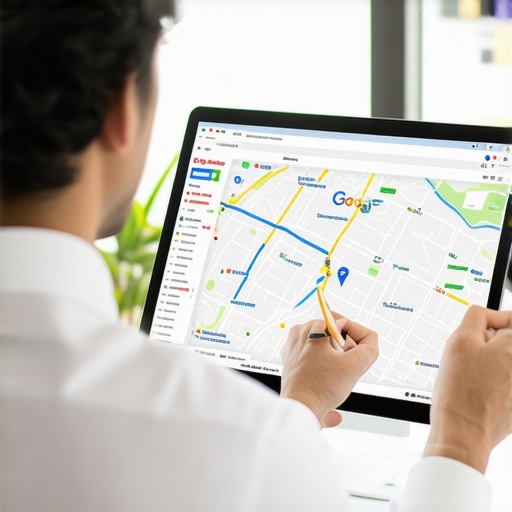
To fix this, you first need to visualize how your rankings behave geographically. You cannot rely on a single search from your office. You must use a google maps rank tracker to see a grid-based view of your visibility. These local seo tools allow you to see exactly where your “ranking bubble” pops.
- Audit the Pin: Open your GBP dashboard, go to “Edit Profile,” and click on “Business Location.” Zoom in as far as possible on the map. Ensure the pin is directly over the main entrance where customers enter, not the center of the roof or the shipping dock.
- Coordinate Check: Ensure your coordinates match across your website’s embedded map and your GBP. Inconsistency here creates a “fuzzy” location signal.
- Expand the Bubble: Once the pin is precise, use google business profile optimization techniques to signal to Google that your “relevance” extends further than your physical walls.
Fix #2: Aligning Infrastructure (Categories & Services)
One of the most profound quotes in our industry comes from Rashid Rehman: “Local SEO isn’t marketing; it’s infrastructure.” Many business owners treat their Google Business Profile like a social media page, but Google treats it like a database entry. If the infrastructure of your data is flawed, no amount of marketing will help you rank google business profile entries effectively.
The most common infrastructure failure is poor category selection. Your Primary Category carries about 75% of the weight for your ranking potential. If you are a “Personal Injury Attorney” but your primary category is set to “Law Firm,” you are competing against every divorce lawyer and estate planner in the city, diluting your specific relevance. Research #5 indicates that a partially completed or miscategorized profile is the #1 reason for local ranking failure.
Optimizing Your Data Infrastructure
To fix your infrastructure, you need a comprehensive google business profile seo strategy that prioritizes data accuracy over creative copywriting. You can find advanced tools for this at seovipertools.com.
- Primary Category Audit: Research your top-ranking competitors using a google business profile audit tool. What is their primary category? Often, the most successful businesses use a very specific niche category rather than a broad one.
- Secondary Category Layering: Don’t ignore secondary categories, but don’t overstuff them. Add only those that are strictly relevant to your services.
- Service Menus: Ensure every service you offer is listed in the “Services” section with a detailed description. This helps Google associate your profile with “long-tail” local searches.
For more on how to prevent your profile from losing ground, check out my guide on 7 GMB profile fixes to stop 2026 map ranking erosion.
Fix #3: Solving the “Interaction Score” Gap
Why do some businesses rank higher with fewer reviews? It’s a question that plagues many owners. The answer lies in the “Interaction Score.” Google doesn’t just look at what you say about yourself or what customers say in text reviews; it tracks how users interact with your listing in real-time. This includes clicks to call, direction requests, photo views, and “dwell time” on your profile.
If your listing is “static” – meaning people find it but don’t click anything – Google perceives it as less relevant to the searcher’s intent. This is why your competitor ranks higher with half the reviews. They likely have a higher engagement rate per impression.
Boosting Your Interaction Score Without “Botting”
I always warn against “botting” or fake interaction services. Google’s AI is incredibly adept at identifying non-human patterns. Instead, use legitimate local seo tools to encourage real human engagement:
- Visual Freshness: Uploading high-quality photos weekly increases “Photo Views,” a key interaction metric. Profiles with more than 100 photos receive significantly more direction requests.
- Q&A Engagement: Use the “Questions & Answers” section to post frequently asked questions and provide authoritative answers. This keeps users on your profile longer.
- Google Posts: Use Google Posts not just for announcements, but to drive clicks. A “Learn More” button leading to a specific page on your site counts as a positive interaction signal.
By focusing on these local seo ranking factors, you prove to Google that your business is a “live” and popular destination, which naturally pushes you higher in the Map Pack.
Fix #4: The 2026 “Proof-of-Life” Signal
As we move toward 2026, Google is implementing what experts are calling the “Trust Update.” With the rise of AI-generated spam and “ghost” businesses, Google is looking for “Proof-of-Life” signals. These are real-world data points that prove your business is physically active and operational at the location you claim. This is often the proof-of-life signal most GMB profiles are missing.
Google is now prioritizing listings that provide “live” signals. This includes the “Verified Local Badge” and the regular upload of short-form video content directly to the GBP. If your profile hasn’t been updated in three months, Google’s algorithm begins to “erode” your ranking, fearing the business may have closed or changed ownership.
Implementing Proof-of-Life Tactics
To stay ahead of the curve and rank higher on google maps, you must treat your GBP as a living entity. Use GMB ranking tools to monitor how these updates affect your visibility in real-time.
- Video Verification & Content: Upload 30-second clips of your office, your team at work, or a quick “tip of the week.” These videos are timestamped and geocoded, providing an undeniable “Proof-of-Life” signal.
- Real-Time Updates: Use the “Update Status” features to reflect holiday hours or special events immediately.
- The “Verified Local” Push: If Google offers you the chance to undergo advanced verification or join a “Local Services” program, take it. This adds a layer of trust that google maps ranking service providers often overlook.
How to Audit Your Consultant: Taking Control of Your Map Presence
In conclusion, ranking in the Google Map Pack is no longer a “set it and forget it” task. It requires a deep understanding of proximity precision, data infrastructure, interaction scores, and modern trust signals. If you are currently paying for a gmb ranking service and all they provide are “automated reports” showing green arrows, it’s time to dig deeper.
A true local SEO strategy involves manual audits and technical adjustments. You need to know why is my google business profile not ranking at a granular level. Are you suffering from Map Pin Drift? Is your “Interaction Score” bottoming out because of poor visual content? Or is your infrastructure misaligned with Rashid Rehman’s “Infrastructure First” philosophy?
To take control, I recommend using a professional google business profile audit tool to identify these gaps. Don’t let your business stay invisible to the people standing right outside your door. Visit SEO Viper Tools today to access the local seo software and expertise needed to dominate your local market and secure your spot in the 2026 Map Pack.